
A dusty little corner of the Internet: electronics, computer hardware and software, general aviation, 1980's Mopars, and related sundry.
Computing
Keyboards
 Some years ago I discovered that I am not alone in my obsession with mechanical computer keyboards. In fact, there are some people that are even crazier than me. I'd been using an IBM Model M buckling-spring keyboard at work for many years, which I'd bought brand-new in 1994 at a local electronics store. It's a joy to type on, but a bit too noisy for use at home. At work, I've only received a few threats. ;) Those were quelled by appying the "Model M grease mod", which softens the sound.
It turns out that mechanical keyboards are making a comeback, due in large part to the gaming community. Most of the modern production uses one of a variants manufactured by Cherry Corporation. Each have their own attributes and feel. Even the venerable IBM Model M design is still being manufactured today by a company called Unicomp.
The Phantom
Posted on November 19, 2012.
The Phantom keyboard is a community-driven keyboard project. The goal was to build a tenkeyless mechanical keyboard with customizable firmware that would fit into a Filco or similar case. The keyboard controller is a Teensy 2.0 and the key switches are Cherry MX. This build uses lubed "ergo-clear" switches and is mounted in an acrylic case from Litster on GeekHack. The key caps are double-shots from a Cherry G80 with a few novelty keys from the Cherry Replica project.
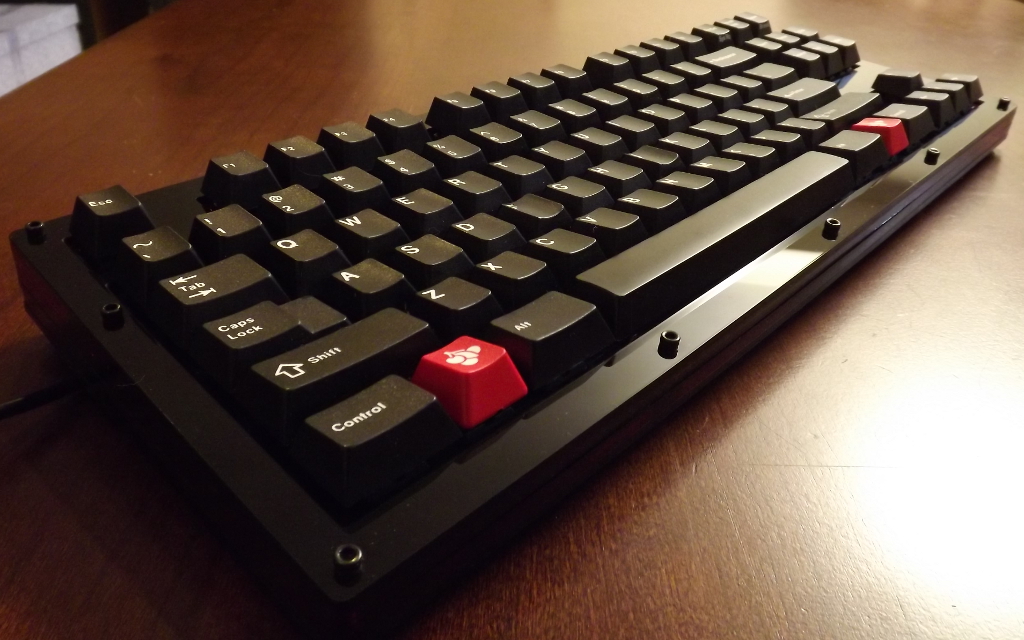
Phantom Keyboard
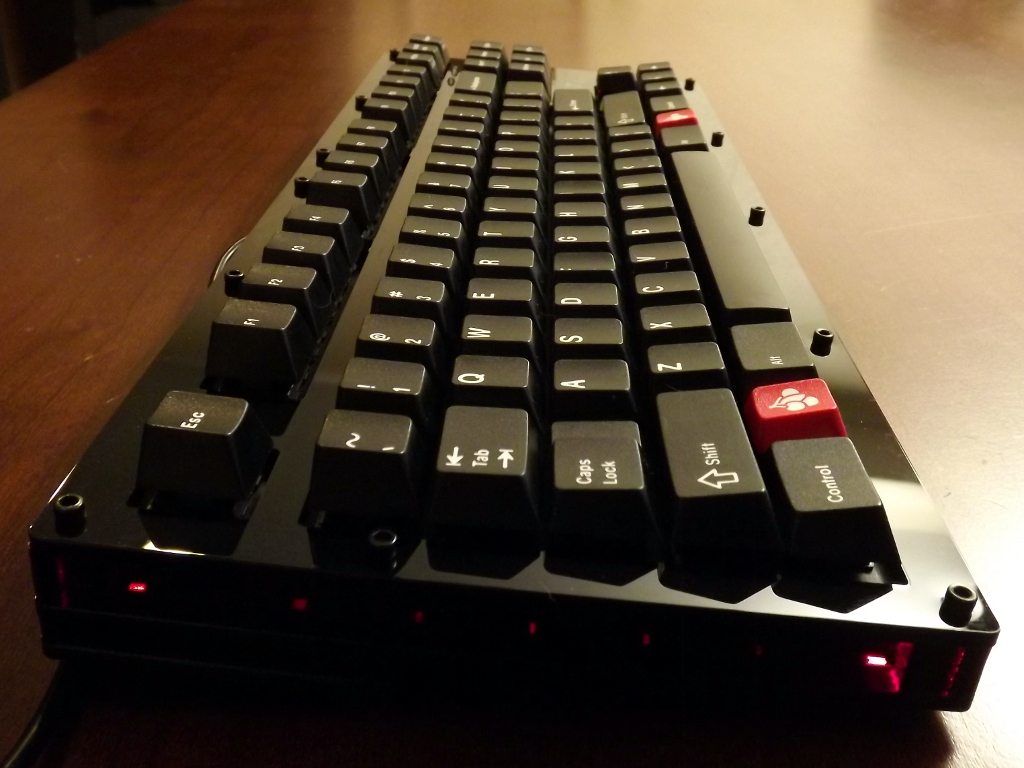
Phantom Keyboard side
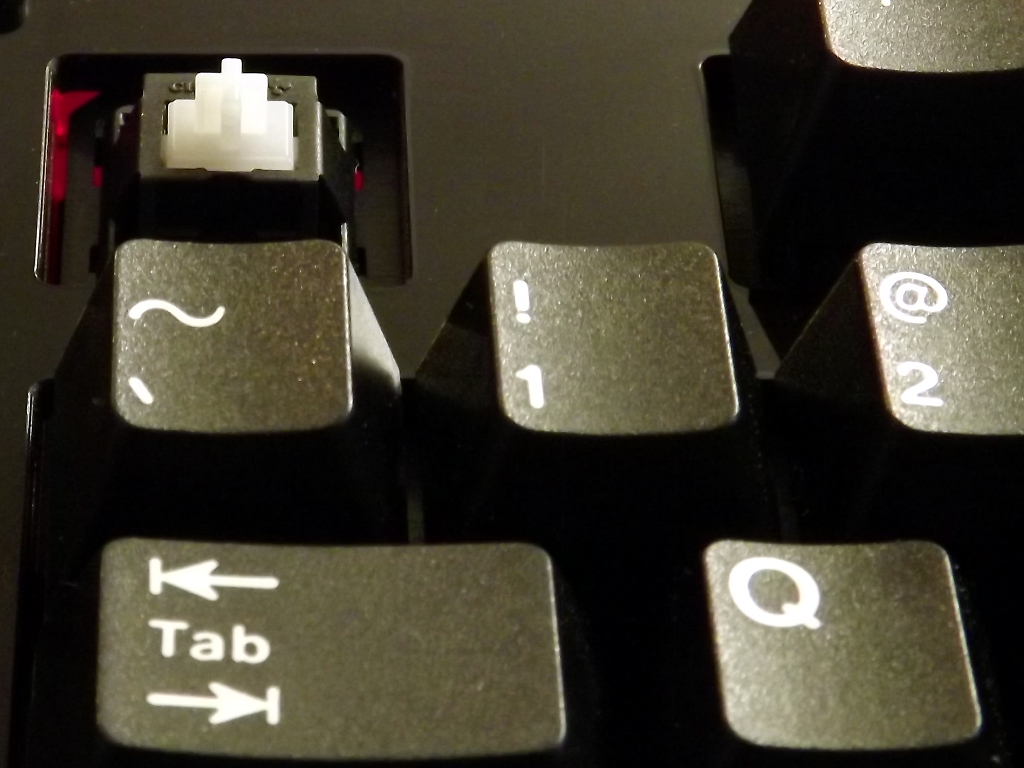
Phantom Keyboard stem
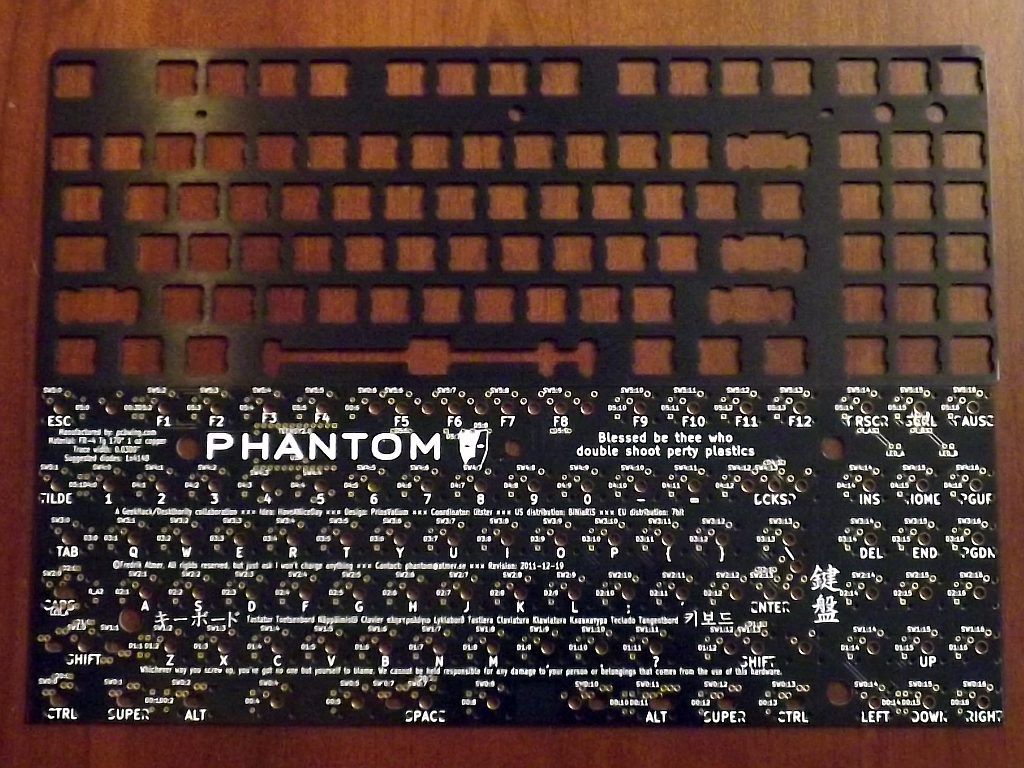
Phantom Keyboard plate
Tenkeyless Comparison
Posted on November 15, 2012.
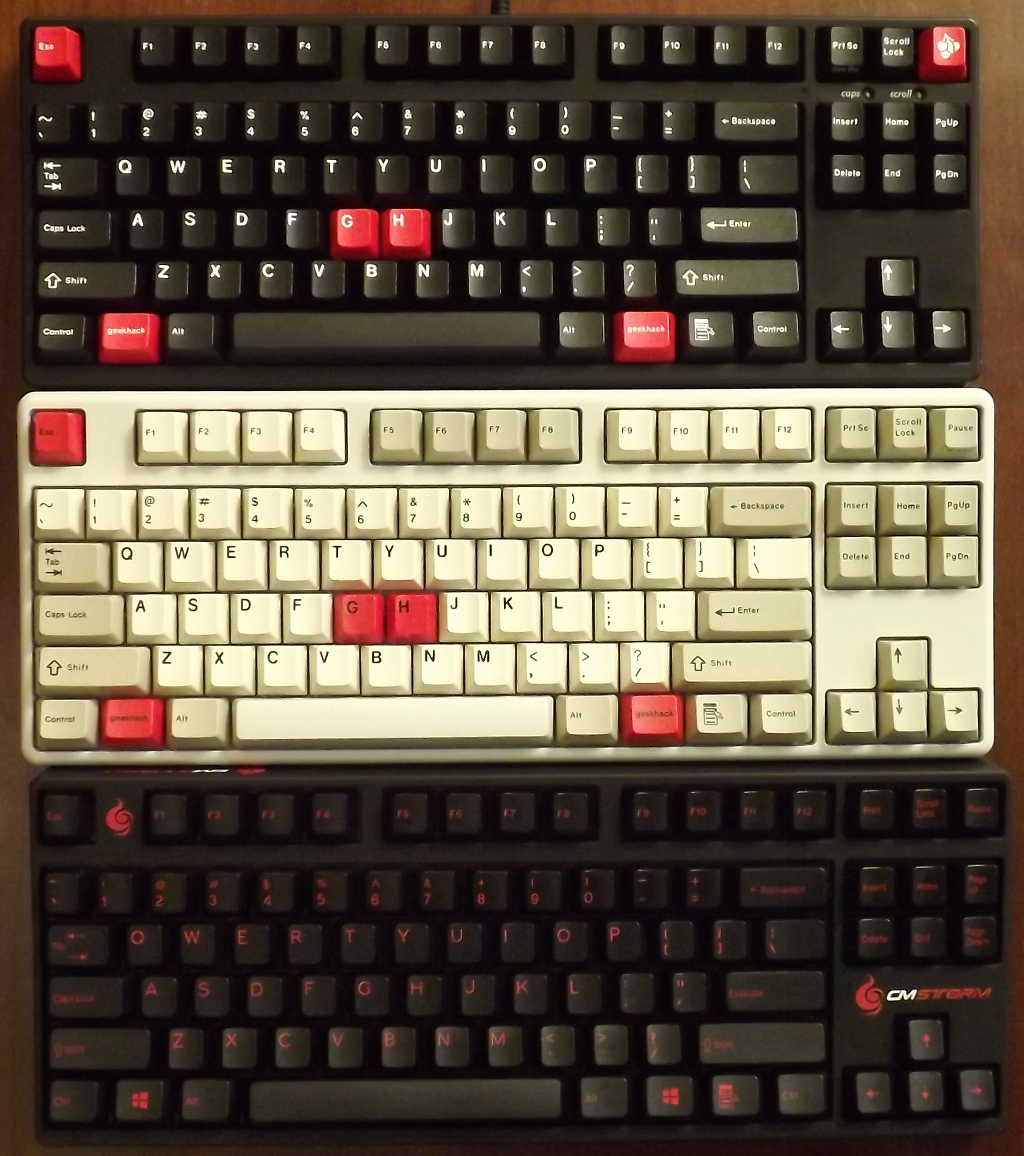
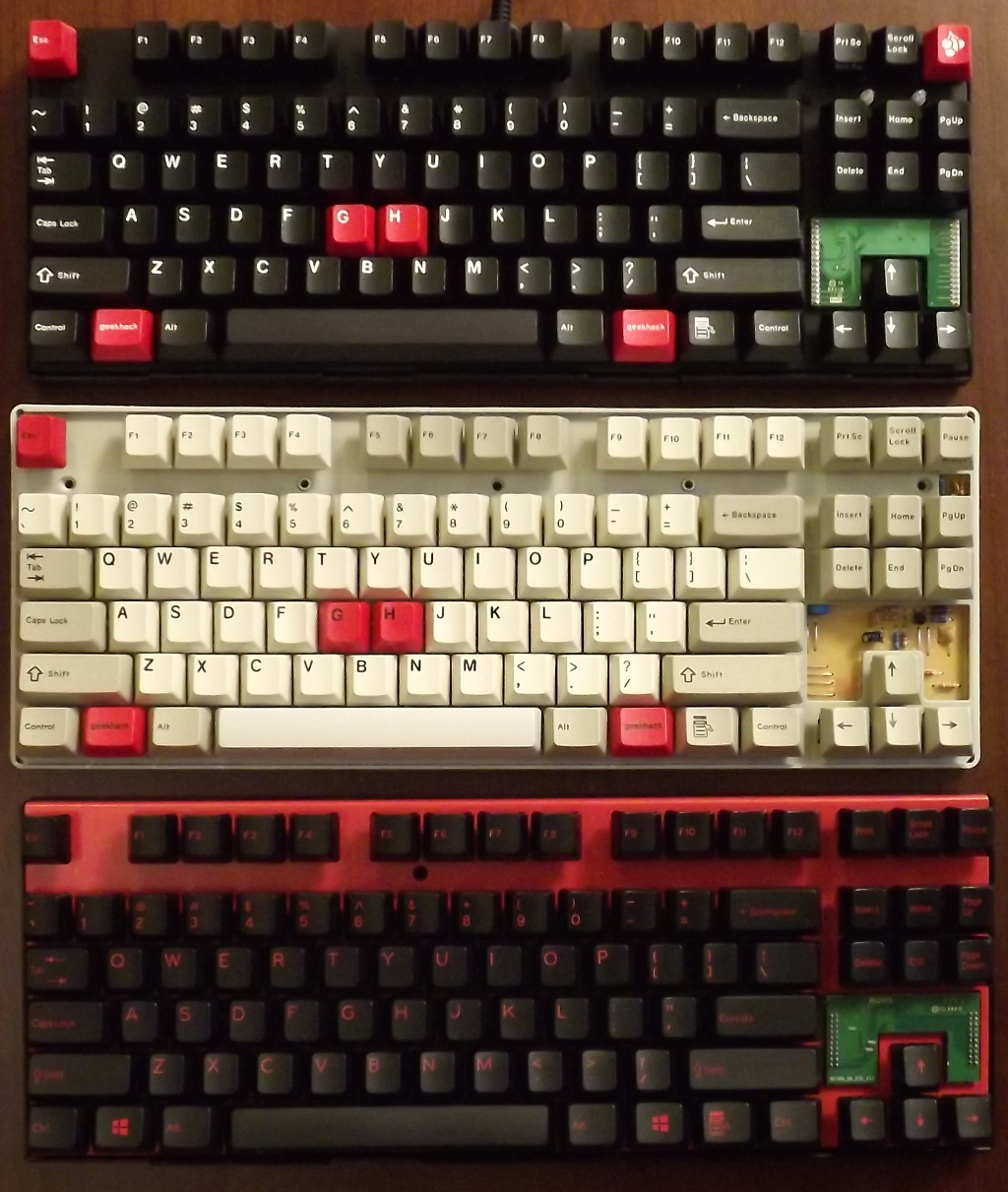 Here is a comparison of the internals of the 3 big tenkeyless boards that are often discussed and recommended at GeekHack and other forums: the Filco Majestouch 2 (aka MJ2), the CM Storm Quick Fire Rapid (aka QFR), and the Leopold FC200. From the outside, the similarities of the MJ2 and QFR case design are obvious. They are both made by Costar and therefore use Costar stabilizers. However feature-wise the MJ2 has an attached cable and separate caps/scroll lock LEDs, while the QFR and Leo have removable cables attached from under the case and integrated LEDs. The Leo uses Cherry stabilizers. A nice touch on the MJ2 is rubber feet on the rear legs, which most other keyboards on the market lack.
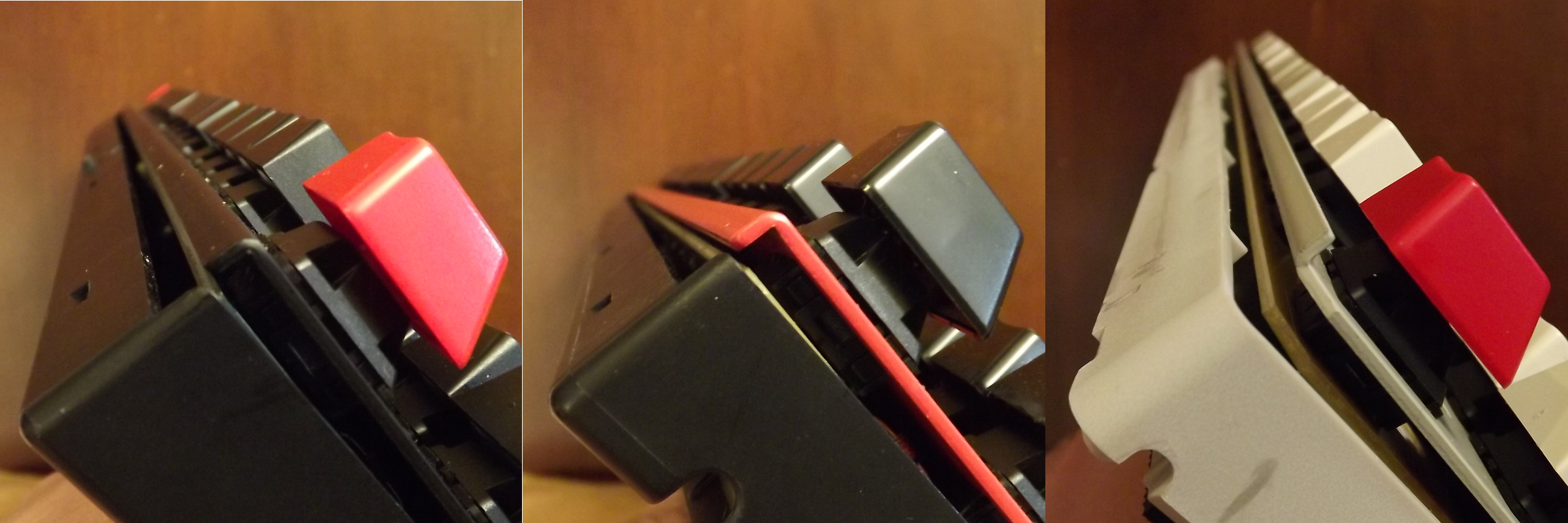 The MJ2 and the QFR use the exact same method to support the plate. The plate is curved downwards at the top and bottom, which rests on the base. The plate thickness is the same (0.055") and both are made from steel. The cases are the same material and about the same thickness (~0.110"). The only interesting difference is that the MJ2 uses 2 screws to hold the plate down on the base. Both clamp the plate to the base with the top half of the case, which snaps together in the same way and are locked together with one screw.
The Leo, on the other hand, has a plate that curves up and is supported by small ribs along the top and bottom. The plate thickness is the same, though, so this probably does not affect the feel of the board in any meaningful way. The case uses slightly thinner plastic, about 0.100" - 0.105" and snaps together with small tabs along the bottom edge (which make it much easier to open). It's locked together with three screws.
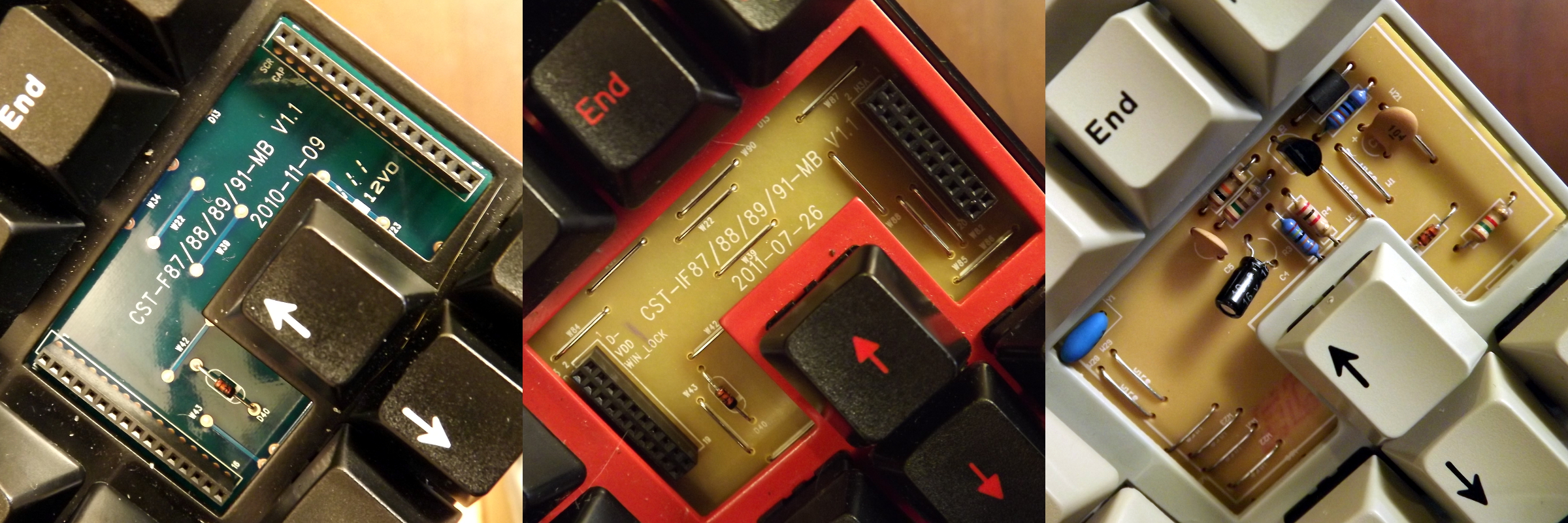 The QFR and the Leo use a single-sided FR2 ~0.06" PCB while the Filco uses a double-sided FR4 0.065" PCB. The MJ2 and QFR both use a header-mounted controller (though not compatible) while the Leo has the controller built onto the main PCB. The slightly thicker and denser PCB material on the FJ2 is the only major thing that sets it apart from the other two.
Click on the pictures for detailed comparisons.
Clearly Ergonomic
Posted on November 07, 2012.
The Cherry MX switch lineup is somewhat lacking a "quiet" tactile switch that is really tactile. As a buckling spring enthusiast, I find the MX blue switches highly annoying both in terms of sound and feel. The click has a very high-pitched tick and ring to it and the tactile feel has an odd disconnect from the time the key is registered. This might be because the reset point is above the actuation point. MX brown switches are not really all that tactile to begin with, but at least they register the press at a more intuitive moment and they don't have that annoying tick. Cherry also has a more tactile version of their brown switch, which has a translucent "clear" stem. The springs are quite stiff, which makes them tiring to type on for any length of time.
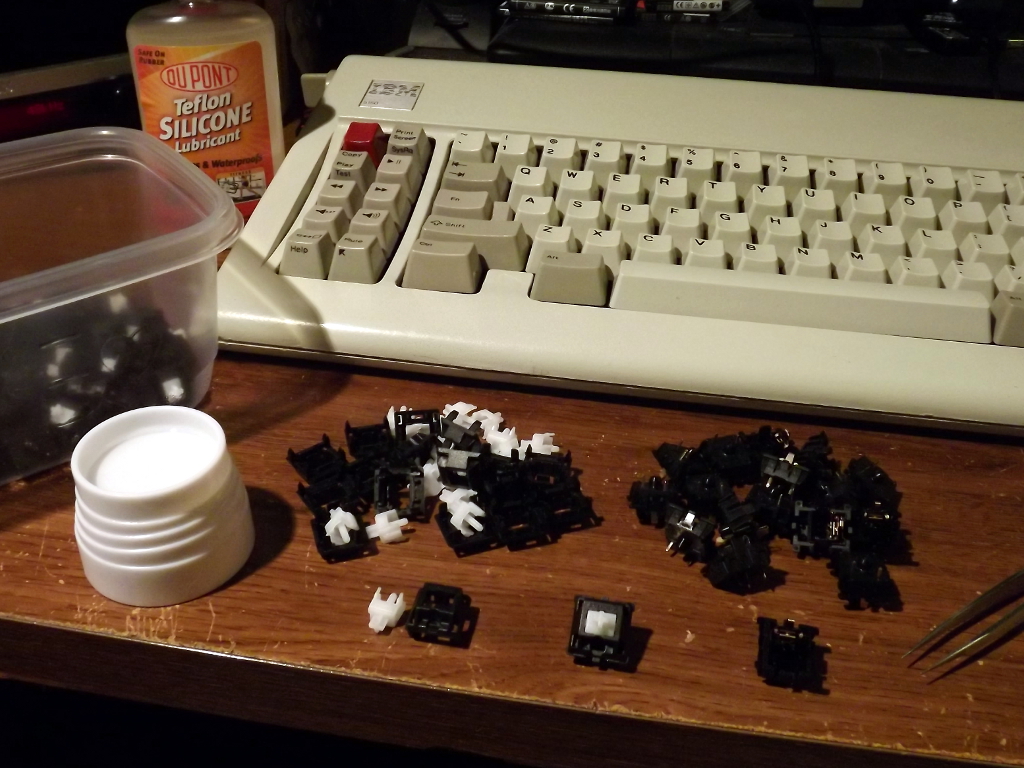 A very common Cherry MX switch modification in enthusiast circles is the so-called "ergo-clear" mod. This is where you combine the MX clear stem with the lighter spring from an MX blue/brown/red switch. I've decided, for me at least, that the ergo-clear provides the best typing experience that a Cherry MX switch can provide. It's no buckling spring, but it comes close and is less noisy to boot.
Usually, most of the work is getting into the switches. If the switches are already in a keyboard, they have to be desoldered if they are the plate-mounted variety. PCB mounted switches can be popped open without desoldering as long as the switch does not have integrated LEDs. I've done this to a few boards now, but this time I am working with loose switches.
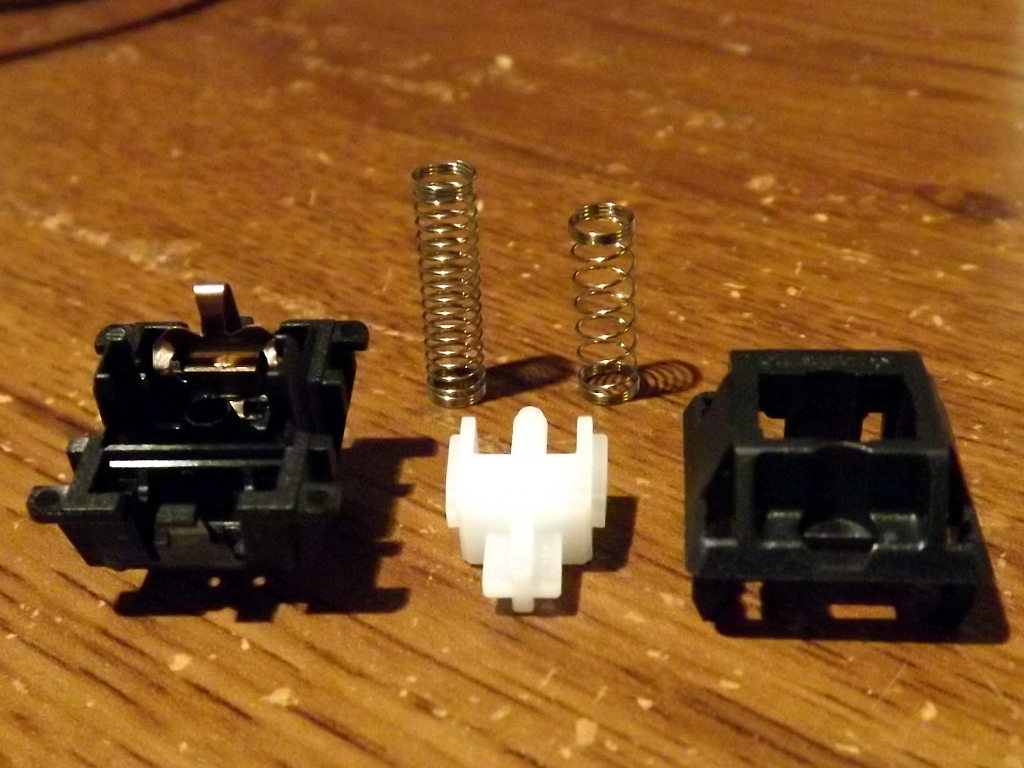 The switches are fairly easy to pry apart with a pair of small tweezers or similar tool. Some care is required during reassembly, but it is not that difficult. I also lube the stem guides with Silicone Teflon lubricant. This is a good idea with ergo-clears since the soft spring can have some difficulty overcoming the weight of the key and the friction of the tactile bump.
The soft spring is the longer one on the left.
Red Alert! (redux)
Posted on August 21, 2012.
This is the "Red Alert 2.0" key cap set that I got from a group buy on GeekHack. It is based on a similarly-named set that was run by KBTalking forums (Korea). While not quite as fancy, it still looks really sharp. It comes with red-on-white and white-on-red modifiers and Fn row.
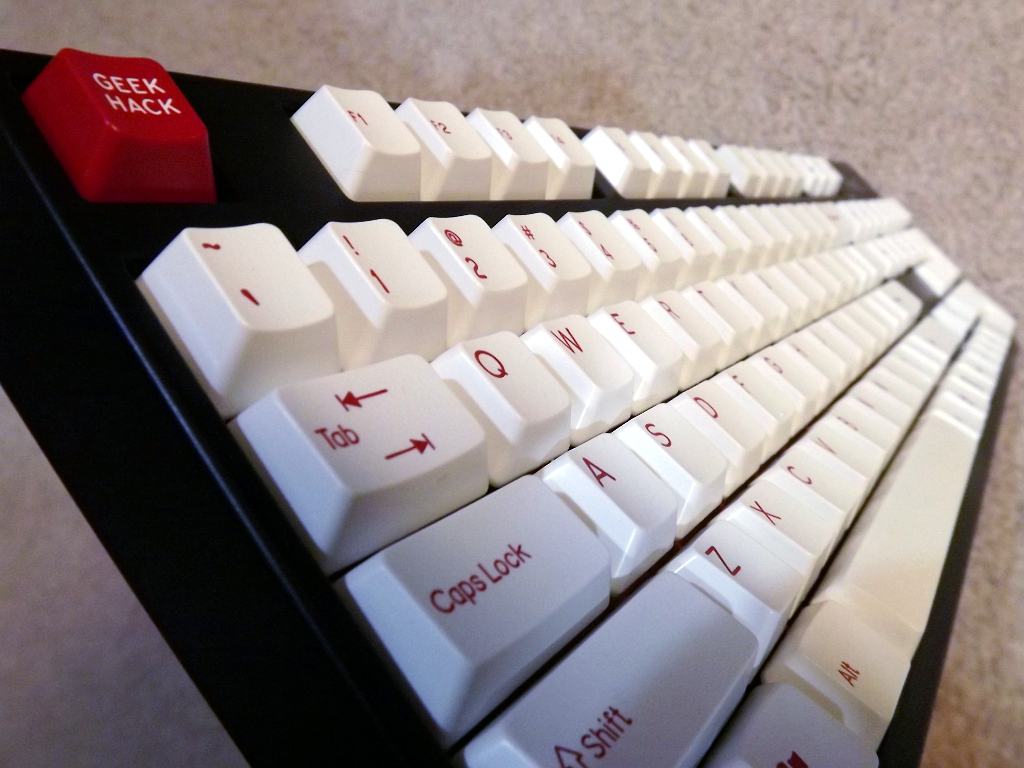
Rosewill RK9000 with white modifiers.
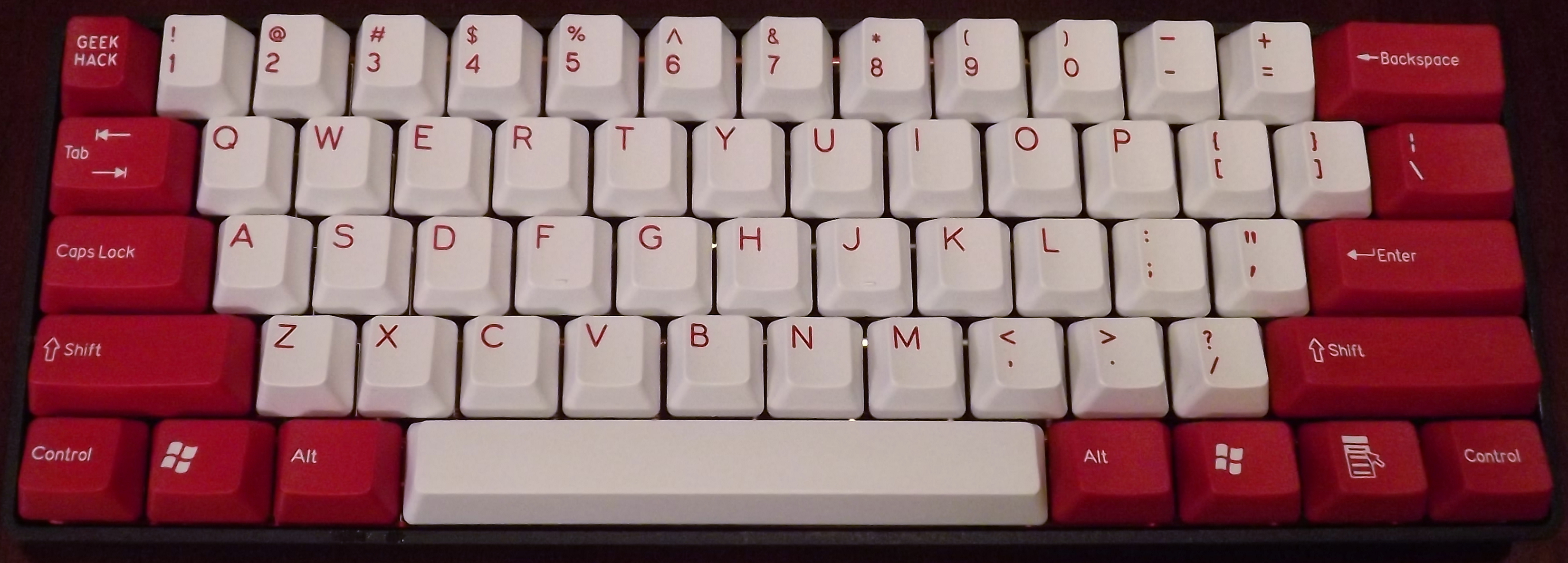
KBC Poker with the red modifiers.
KBC Poker Center Support Modification
Posted on August 20, 2012.
This article was put into the GeekHack Wiki.
The KBC Poker X is a compact (60%) mechanical keyboard made by Vortex. Although it seems like it will be phased out and replaced by the Vortex Pure, it has a few advantages over it:
- The Poker uses completely standard key cap sizes so that any tenkeyless key set will work.
- The arrow keys are intuitively located both on the WASD cluster and on the lower-right modifiers.
It does have a few design problems, though. One is that the function lock on the Esc key (tilde) and on the lower-right nav keys is not reversible while holding Fn. Unfortunately, there is nothing that can be done about this. This is a particular problem when using vi or other cases where tipost.data.page.excerptlde is often used.
The other issue is a mechanical one. The PCB is mounted to the case at either end with screws, but there are no screws in the center. This causes the PCB to bow up slightly in the center, giving the keyboard a bouncy feel on the middle keys. Some folks have used a layer of thin foam between the PCB and the case to absorb this flex, but it doesn't really address the root problem.
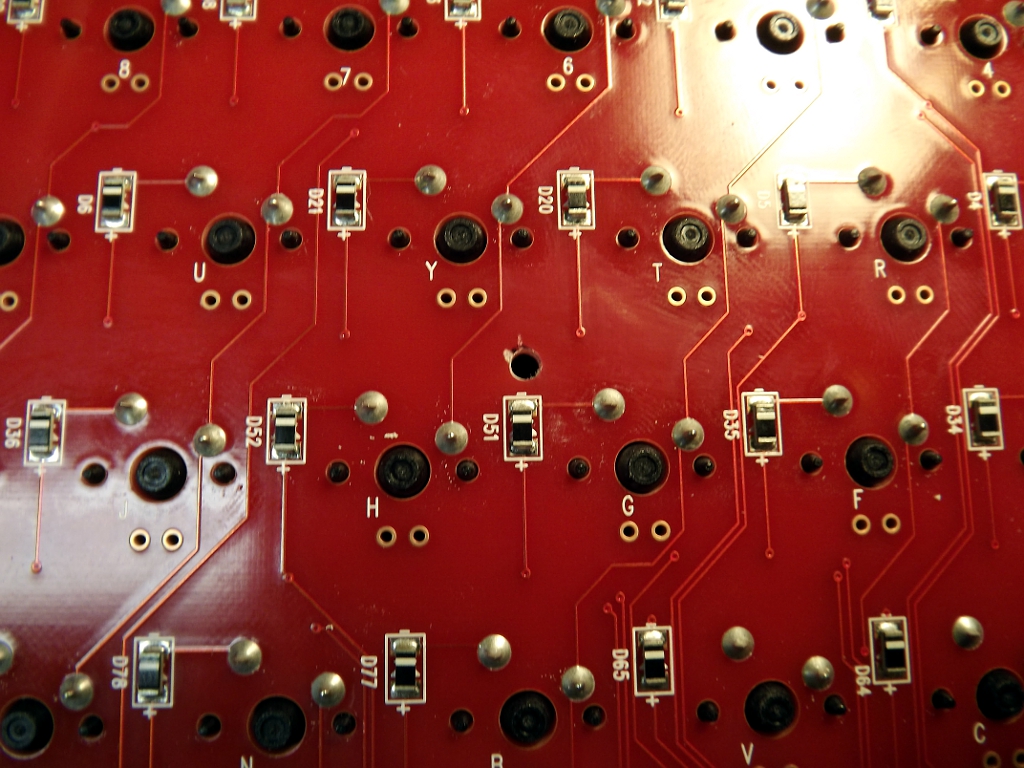 A better solution to the PCB flex problem is to add a center support and screw, like the Pure. This requires drilling a hole in the PCB and then supporting it by the case somehow. Some care is required in selecting the location of the hole so that you don't drill through a trace. The area right above D51, between the G and H keys is a good location. There is ample space on both sides of the PCB. I used a 3/32" bit.
Try to drill relatively close to the the diode so that you don't hit the trace on the top of the PCB that is right under the Y key.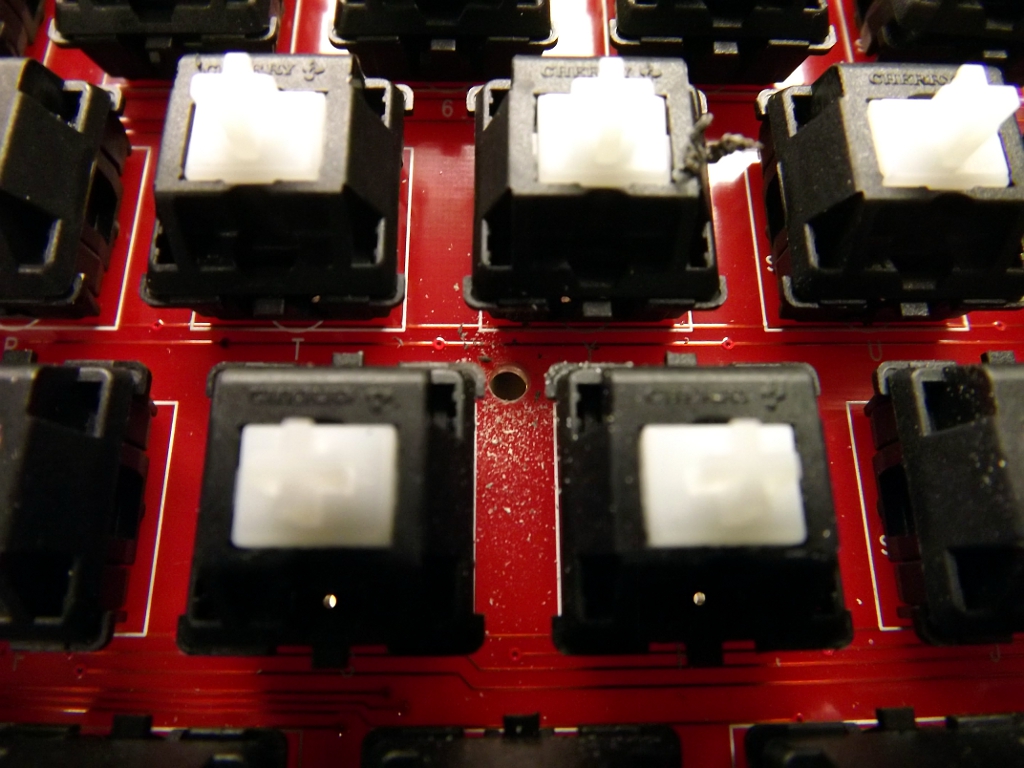
This location will put the hole close to a rib in the case. Temporarily mount the PCB in the case with a couple of screws. Be sure to use the hole next to the Tab key, since it provides the best side-to-side alignment. Then, using the bit you used to make the hole in the PCB, gently drill straight-down into the case below. You are just making a mark, not actually drilling through the case.
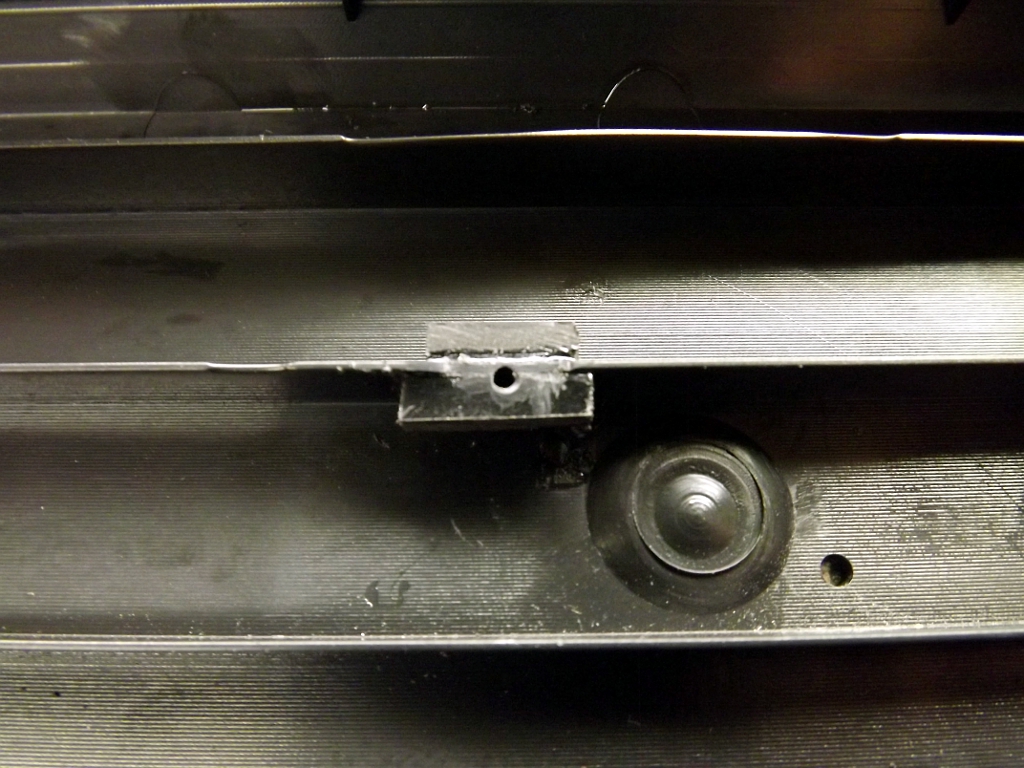 How you support the screw is up to you. You could mount a stud/offset similar to the ones already there. You could also drill completely through the case and use a long screw and nut. I opted to support the area with some scraps of ABS (cut from a Radio Shack project enclosure) welded to the rib in Poker case using Acetone. I then drilled a small 1/16" pilot hole.
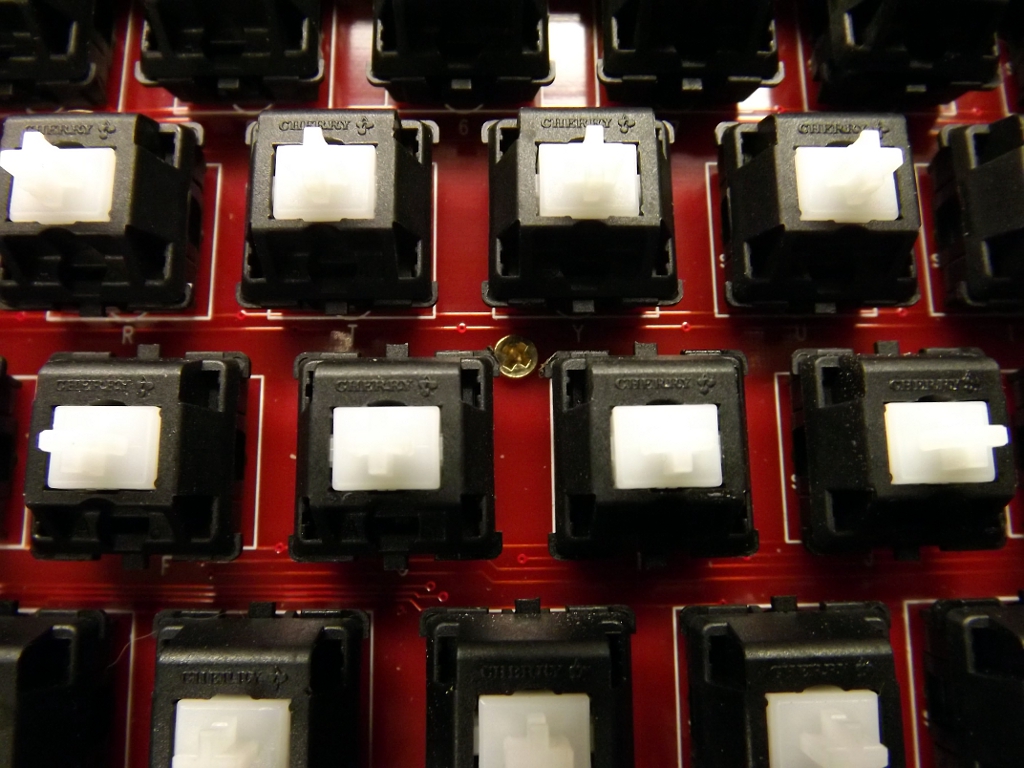 The PCB was then mounted to the case with a small brass wood screw.
The Poker now feels much more solid. No more extra spring around the center of the board. I'm even questioning if it is worth getting an Aluminum case for it.

